
Key takeaways
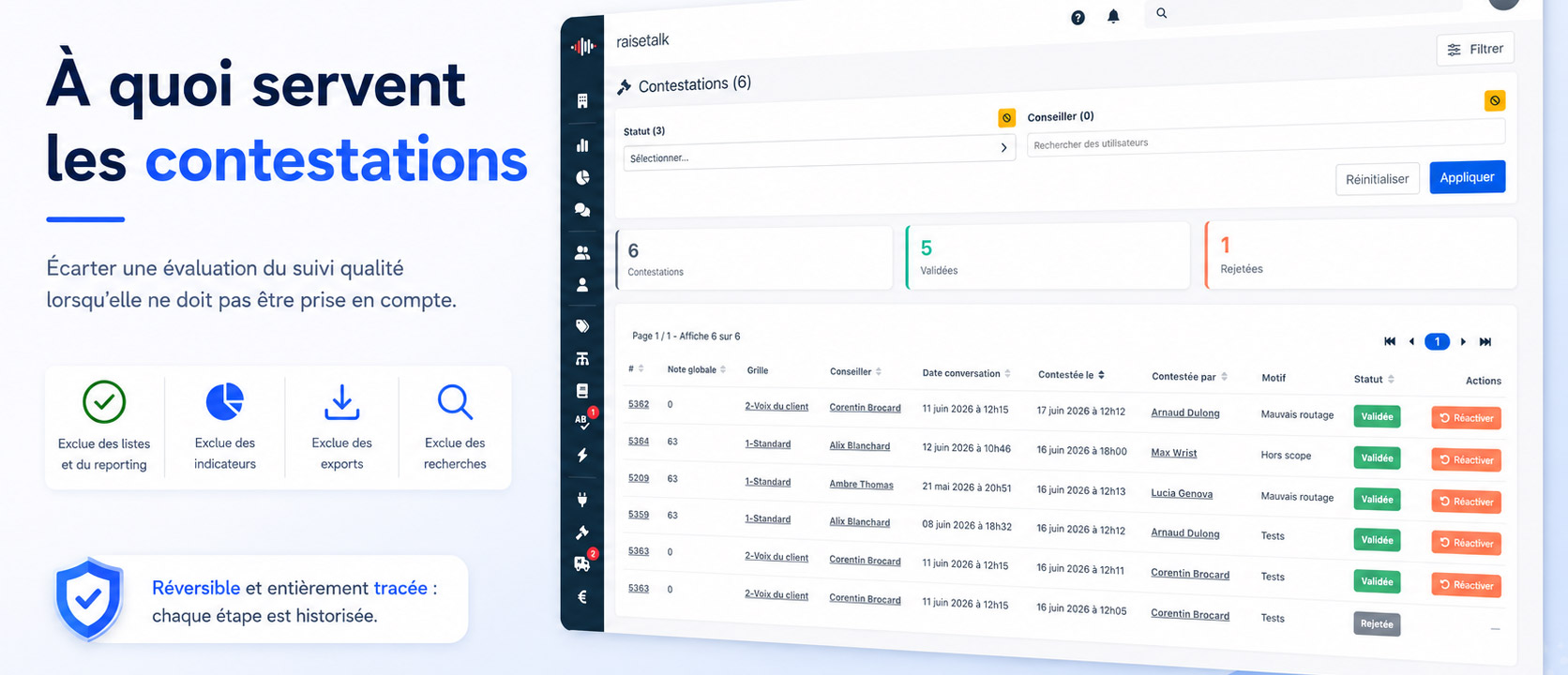
- Raisetalk introduces disputes: an administrator or a supervisor can set an evaluation aside from quality monitoring when it should not count (poor recording quality, customer GDPR request, out-of-scope conversation, wrong attribution).
- A disputed evaluation disappears everywhere: conversation list, reporting and indicators, exports, and searches in the Discovery section. Your figures are no longer polluted.
- Disabling is not deleting: the action is reversible. Permanent deletion (GDPR) remains a separate act.
- Control stays with the administrator: every dispute goes through a validation, or a rejection (reactivation), from a dedicated monitoring page.
- Everything is traced: each step creates a version of the evaluation, timestamped, with its author and justification comment.
- The full behaviour is covered in the disputes documentation.
Why would you need to dispute an evaluation?
In a quality monitoring setup, not all analysed conversations are meant to count. An unusable recording, a call attributed to the wrong advisor, an out-of-scope conversation, or a customer asking that their exchange no longer be used: all cases where an evaluation must be set aside.
Until now, the choice was between two extremes: keep everything, at the risk of skewing your indicators and coaching on questionable data; or delete everything, losing the data and its traceability for good. The dispute opens a third way, clean and governed.
In practice, how do you dispute an evaluation?
From a conversation's detail page, a "Disable evaluation" block lets you start a dispute by entering a mandatory justification comment. The action is deliberately explicit and restricted to authorised profiles.
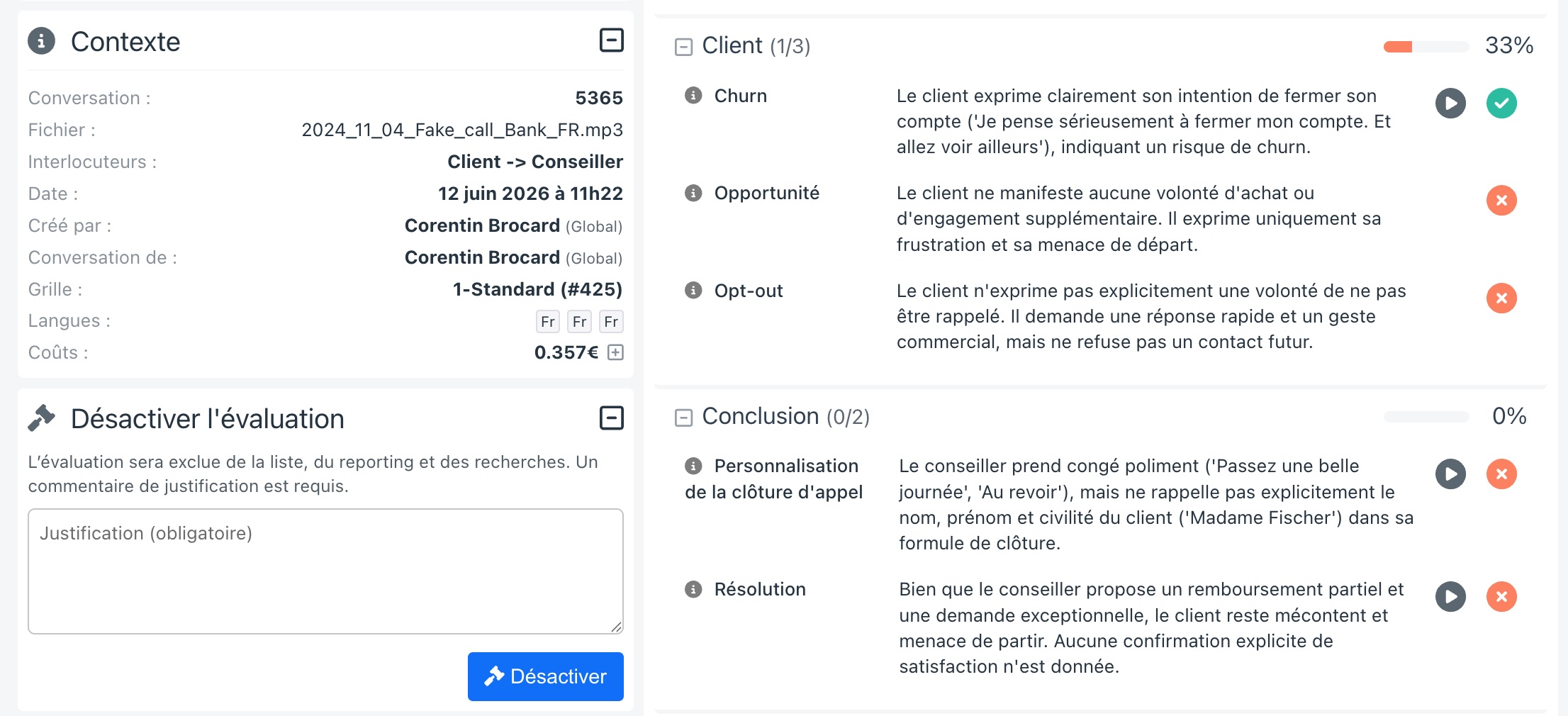
Once disputed, the evaluation is immediately removed from monitoring and placed pending a decision. It can even be disputed while its analysis is not yet complete.
Is disabling an evaluation the same as deleting it?
No, and the distinction is essential. Disputing an evaluation means excluding it from quality monitoring, in a reversible way: at any time, an administrator can reactivate it and bring it back everywhere. No data is destroyed.
The permanent deletion of a conversation (for example as part of a GDPR erasure) remains a separate, irreversible act, handled distinctly. The dispute answers the everyday need to set aside without losing, and to be able to go back.
Who can dispute, and who decides?
The feature separates two responsibilities: triggering a dispute, and settling it. The default rights are as follows:
| Action | Administrator | Supervisor | Advisor |
|---|---|---|---|
| Dispute an evaluation | ✅ | ✅ | ❌ |
| Validate or reactivate | ✅ | ❌ | ❌ |
A supervisor can therefore flag an evaluation to be set aside, but it is an administrator who confirms the disablement or rejects the dispute. This separation guarantees a systematic control check. The details are in the Default Roles and Rights page.
What happens to a disputed evaluation?
As long as an evaluation is disputed, it is excluded from all monitoring uses:
- it no longer appears in the conversation list;
- it is removed from reporting and all indicators;
- it is excluded from exports (CSV and PDF);
- it is no longer used in Discovery searches.
Its detail remains accessible to administrators only, the rest of the page being intentionally greyed out, with an option to show it occasionally without reactivating it. The goal: never let a set-aside piece of data influence a decision, while keeping the ability to review it.
How do you monitor and handle disputes?
Administrators have a dedicated page, with a badge showing the number of disputes awaiting handling. Each dispute is tracked individually (the same evaluation can be disputed several times over time).
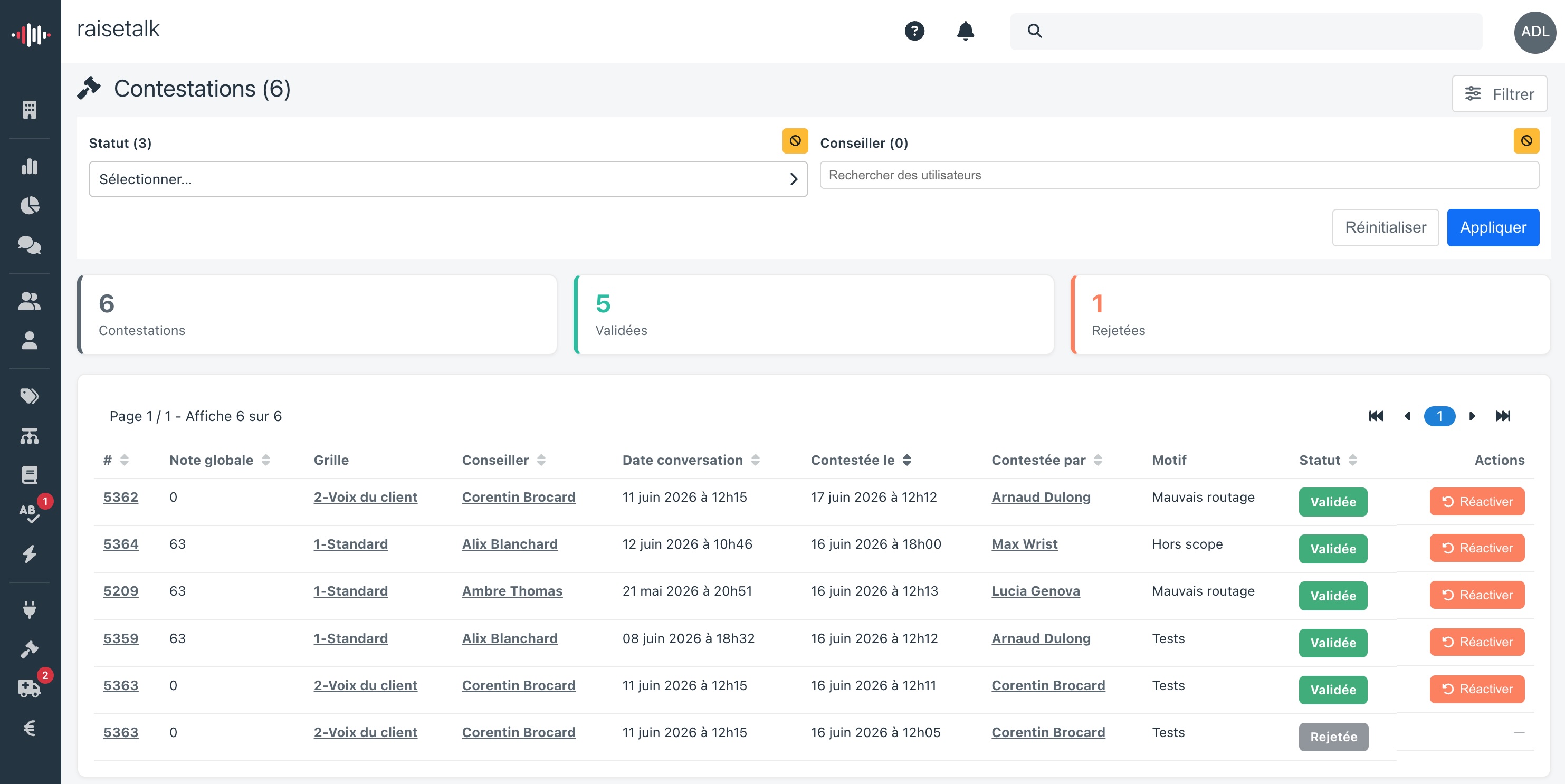
The page offers indicators (disputes, validated, rejected), filters by status and by evaluated advisor, and two actions on each pending request: validate the dispute, or reactivate the evaluation to bring it back into monitoring.
How do you keep track of every decision?
Each step, dispute, validation, reactivation, creates a version of the evaluation: who, when, and why. The justification comment is kept and viewable, including on hovering the status.

This complete history lives alongside the usual evaluation changes, in the conversation's detail page. Nothing is lost, everything is justified.
Why is this a governance matter?
Steering quality with data only makes sense if that data is reliable, and if the decisions that set it aside are themselves controlled and traceable. Disputes deliver exactly that: a clean way to exclude what should not count, without destruction, with administrator validation and a full audit trail.
It is one more trust building block, consistent with the Raisetalk promise: transparency, explainability, and respect for privacy. To go further, see the disputes documentation.