

The essentials
- Raisetalk unveils its new interface: more modern, clearer and, above all, more productive, built on the foundations that make it strong.
- Delivered the weekend of 1 November: on Monday 2 November, you will find your workspace in its new interface.
- Every role has its own starting point: from the moment they open it, the manager steers their team, the advisor follows their progress and the administrator keeps the platform firmly in hand.
- Every score, proven in one click: the score, the criterion, its justification and the exact passage of the call, brought together on a single page.
- One way to search, everywhere: a filter column shared by conversations, reports and the Understand page, saved views, and selections shared with a simple link.
- Everything you rely on is still there: scorecards, criteria, labels, history and access rights are waiting for you, just as you built them.
Raisetalk doesn't sell AI. AI is a means, just like transcription. Our business is conversational analysis: analysing 100% of the exchanges in a contact centre, evaluating them according to your method, backing every finding with the passage it rests on, and giving everyone, within their own scope, what they need to act. Our ambition is to be the best solution in this field.
These foundations are solid, and they are not moving. The new interface makes them more productive. It starts from a simple question: what does the person in front of the screen need to decide, and how do we get them there faster? The result is visible at first glance, with a modern interface that stays consistent from one screen to the next. Above all, it shows in everyday use: fewer clicks between a conversation and a decision.
It arrives in your workspace the weekend of 1 November. Here is the tour, in five stops.
Everyone opens Raisetalk to what matters to them
The Dashboard adapts to each user's role, with three layouts: Manager, Advisor and Administrator.
- The manager sees at a glance where quality stands: the score for the period and the gap to target, the trend over twelve weeks, the top advisors and the advisors to encourage, the least successful criteria, a comparison of teams. The To handle panel puts what calls for action at the top: the latest alert with the passage in question, contestations to settle, pending debriefs, advisors whose scores are slipping, topics on the rise in calls. Review opens the conversation at the exact second.
- The advisor follows their own progress: their score, their strengths, the criteria to work on, their latest evaluations, and their best passages on the criterion where they need to improve. They learn from their own successes.
- The administrator runs the platform: adoption by teams, credit balance and forecast run-out date, contestations, support requests, integrations to keep an eye on.
The dashboard stays fast when a whole team signs in at the start of the day, and opening it uses no credits: everything is calculated from evaluations already carried out.
Video clip, 47 seconds: the manager's dashboard, from the score for the period to the alert under review.
Every score, proven in one click
An automated evaluation is only worth something if it can be checked. That is one of the pillars of Raisetalk, and the conversation page now puts it centre stage: the compliance score and the audio player at the top, then the summary of the exchange, every criterion of the scorecard with its justification, and the transcript, all on a single page.
Each criterion carries its timestamps. One click, and you hear the exact passage the finding rests on, while the transcript scrolls to it. The quality manager checks in a few seconds, then decides on the spot: modify a criterion, open a debrief with the advisor, settle a contestation. For a compliance team, that is the proof one click away; for a manager, it is coaching grounded in facts.
The Temperature, Attitude and Sentiment gauges round off the picture: they count the facts and signals expressed in the exchange, and play no part in the score.
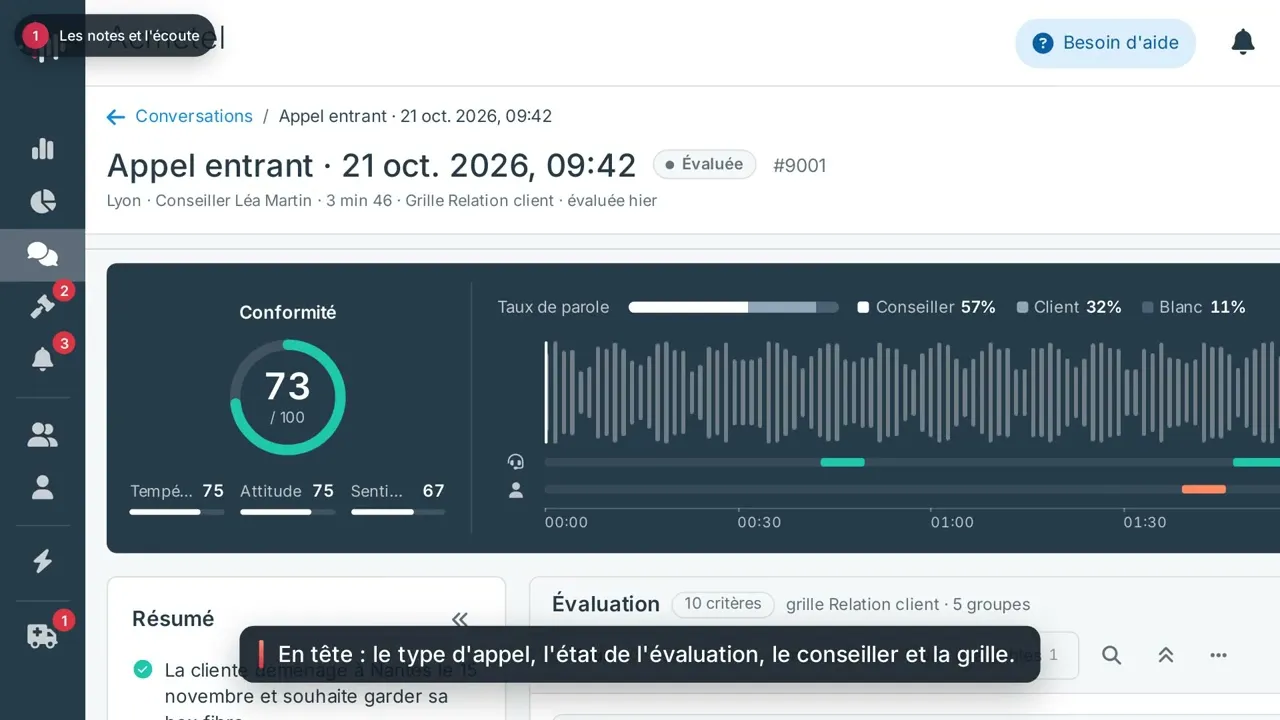
Video clip, 90 seconds: the score, playback, the criteria and the transcript of a call.
Finding the right conversation among thousands
When you analyse every exchange, the value lies in being able to isolate the right ones. The conversation list, the reports and the Understand page share the same filter column: teams, advisors, scorecards, criteria, status, duration, score and labels. One way to search, everywhere.
The filters go straight to the point. A criterion is filtered by its expected result: "Duty to advise, must be not acquired" brings up every conversation where the obligation was not met, team by team. Duration is picked on the histogram of your calls.
- Saved views: a selection gets a name and follows you from one computer to another. A view on "the last 30 days" updates itself.
- Shared selections: the page address carries your filters. A link is all a colleague needs to see the same selection, within their own scope.
Video clip, 96 seconds: filtering, saving a view, sorting and opening a conversation.
Your quality method, configured your way
Conversational analysis is only as good as the scorecard behind it. Criteria, scorecards, labels, notifications and purges are set up on dedicated pages, designed for in-depth work: all the room you need to write, and the consequences in plain sight before you save.
A criterion is written as a sentence, first in French, the reference language, then in your other languages. Its page shows its effect on the score and the scorecards that use it. A purge states what it will delete before it is activated. Every page has its own address: a criterion's link can be shared just like a conversation's.

Act without ever losing track
When there is work to do, the list stays on screen and the action opens in a side panel, right next to it.
- Settle contestations: the contested criterion, the advisor's reason, the passage to listen to and the effect of each decision on the score, then Go to the next one. The advisor keeps their right of reply, and the manager decides in a few seconds.
- Schedule a send: the same panel opens from a report, My alerts, Discovery or the sign-in log, and shows the date of the next send. Each recipient receives the report calculated on their own scope.
- Manage teams and users: the profile opens next to the list, and several accounts can be edited in one go.

The same principles, everywhere else
Other screens benefit from the same step forward:
- My alerts, where the alerts that call for action have an owner, a deadline and actions to carry out, and you move straight from one alert to the next.
- Global reports for teams and advisors, compared in one click with the previous period or the previous year.
- Adding conversations, in a single window that takes in the files and sets up their analysis.
- Billing, with the consumption rate, the estimated run-out date and a low-balance alert.
- Support, where each request reads like a conversation.
- The sign-in log, to follow adoption user by user.
- Signing in, rethought from the free trial to the forgotten password.
Everything you rely on is still there
The new interface is delivered the weekend of 1 November. On Monday 2 November, your scorecards, criteria, labels, automations, evaluation history and everyone's access rights are there, just as you built them, and page addresses stay the same. Each role has been given the dashboard that suits it. The interface is available in French, English, German and Spanish.
Not a customer yet? Try Raisetalk for free
The simplest way to judge Raisetalk is to try it on your own calls. The trial is free, with no commitment: a work email address is all it takes to create your account, and a single audio file to read your first evaluation, criterion by criterion, with the passage that supports it.
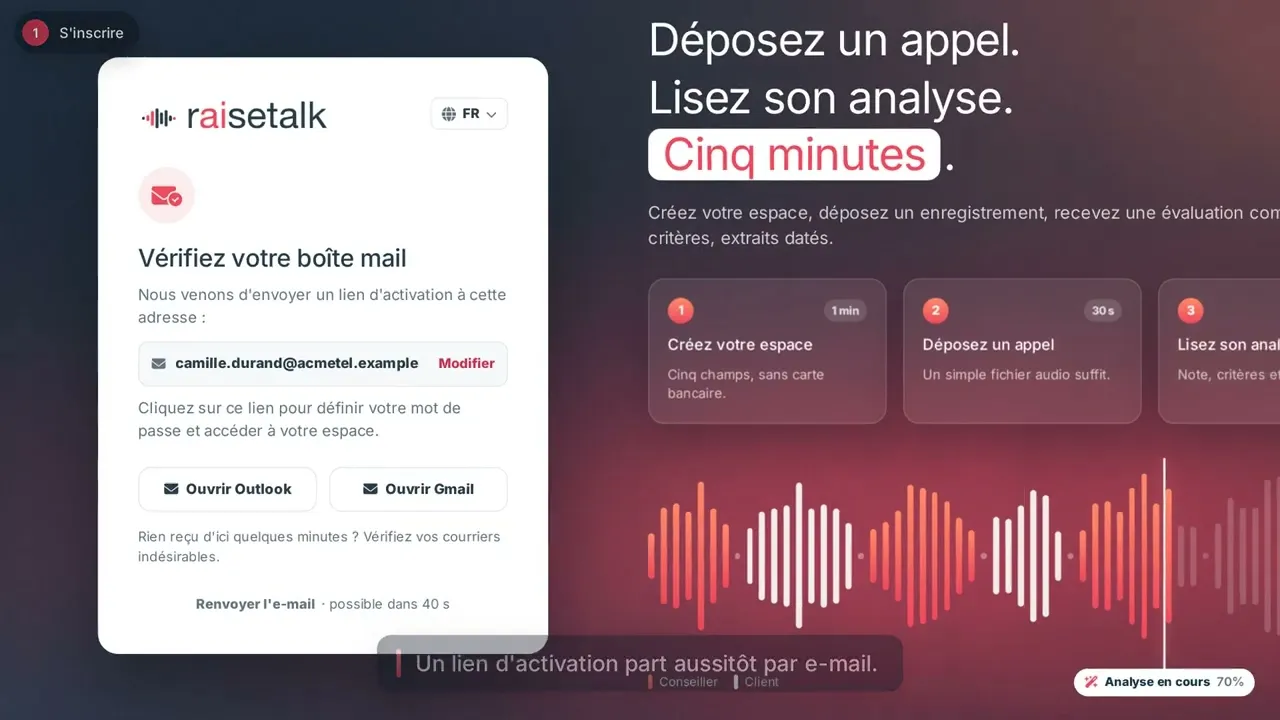
Video clip, 85 seconds: the free trial, from sign-up to your first evaluated calls.
Create your trial account: your first call is analysed in under five minutes.
Frequently asked questions
When will the new interface be available?
The weekend of 1 November 2026. On Monday 2 November, everyone finds their Raisetalk workspace in the new interface, with their scorecards, criteria and settings.
What does the new Raisetalk interface bring?
It puts each user in front of what they need to decide: a dashboard for the manager, the advisor and the administrator, an evaluation page that brings together the score, the justification and the audio passage, a filter column shared by conversations and reports, dedicated configuration pages, and side panels to act without leaving a list.
Do I need to set Raisetalk up again?
No. Scorecards, criteria, labels, automations, teams and roles carry over as they are. Each standard role has been given the dashboard that suits it, and an administrator can change it in the role's settings.
Can an advisor see their colleagues' scores?
No. The Advisor view covers only their own conversations. The team average is shown only once there are at least three other advisors and ten scored conversations over the period, so that it never gives away anyone's score.
See Raisetalk in action
The most telling thing is still to see the new interface on your own exchanges. Try Raisetalk on your conversations or book a demo.
Several of these screens will soon have their own article: the role-based dashboard, the evaluation page, alert handling, reporting.


